- Spark isn’t totally magic – you need to think about how your data is partitioned
- Operations that are expensive, and Spark won’t distribute data on its own.
- Use .partitionBy() on an RDD before running a large operation that benefits from partitioning
- Join(), cogroup(), groupWith(), join(), leftOuterJoin(), rightOuterJoin(), groupByKey(), reduceByKey(), combineByKey(), and lookup()
-
These operations will preserve your partitioning in their result too.
- Too few partitions won’t take full advantage of your cluster
- Too many results in too much overhead from shuffling data
- At least as many partitions as you have cores, or executors that fit within your available memory
-
partitionBy(100) is usually a reasonable place to start for large operations.
- Using partitionby operator on an RDD we can say explicitly say I want you to take this operation and break it up into this many tasks.So remember Spark actually breaks down your script.
-
Spark actually breaks down your script into DAG’s based on stages between where and used to shuffle data and each stage is broken up into individual tasks that are distributed to each node of your cluster each executor that you have
-
So you want to make sure that you always have at least as many partitions as you have executor’s.
- Make sure that you always have at least as many partitions as you have executor’s. That way you can split up the job efficiently.
Hash Partitioner
It is the default partitioner of Spark.
import org.apache.spark.HashPartitioner;

val lines = sc.textFile("ml-100k/u.data");
val movies = lines.map(x => (x.split("\t")(1).toInt, 1)) \
             .partitionBy(new HashPartitioner(100));
val movieCounts = movies.reduceByKey( (x, y) => x + y ).saveAsTextFile("/home/hyper/spark/data/partition/hash");
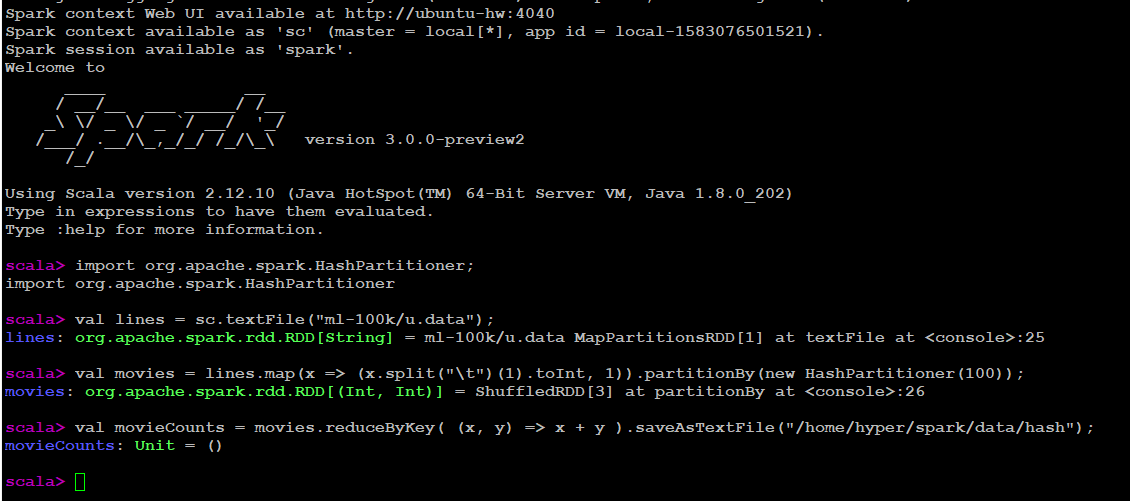
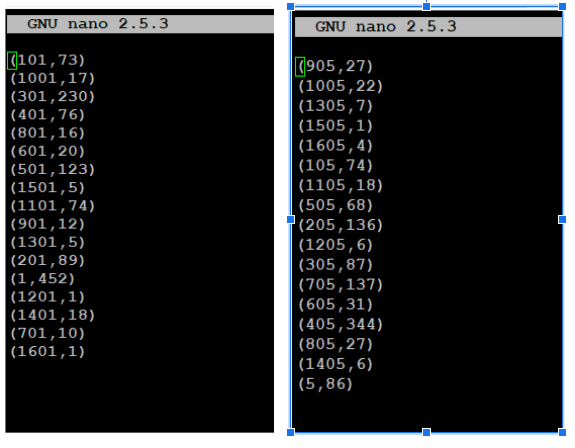
As saveAsTextFile was used we can see the results split into 100 parts.

Verify individual files
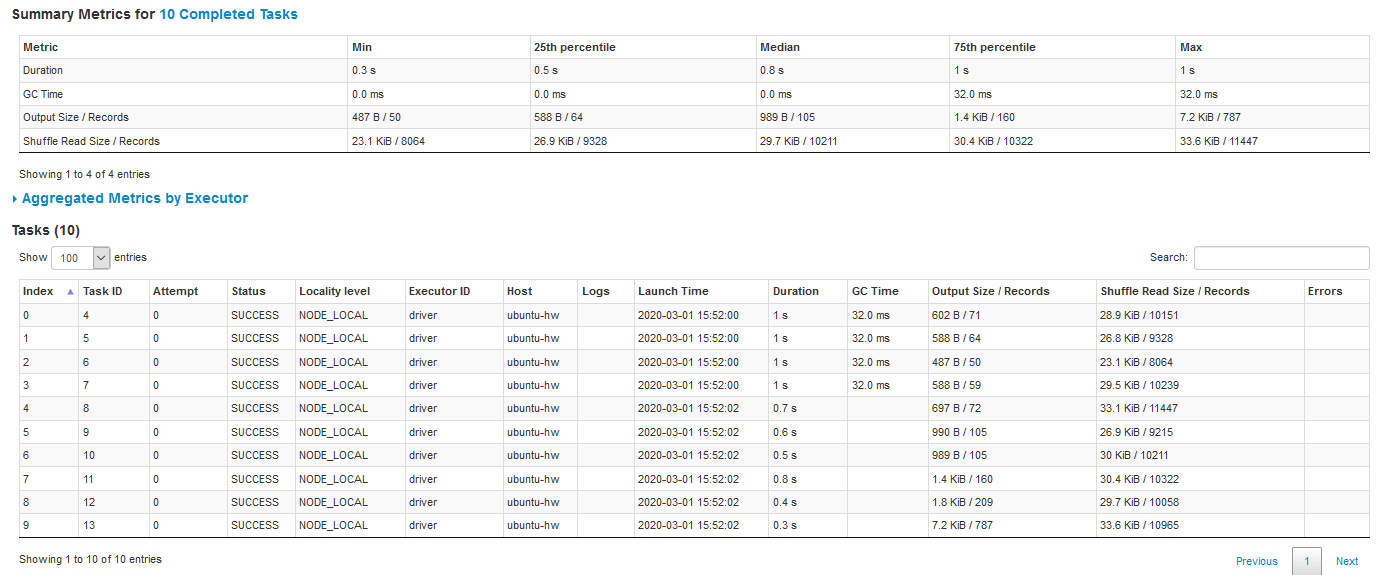
Spark UI Dag Visualization 100 tasks were created based on hash parameter.
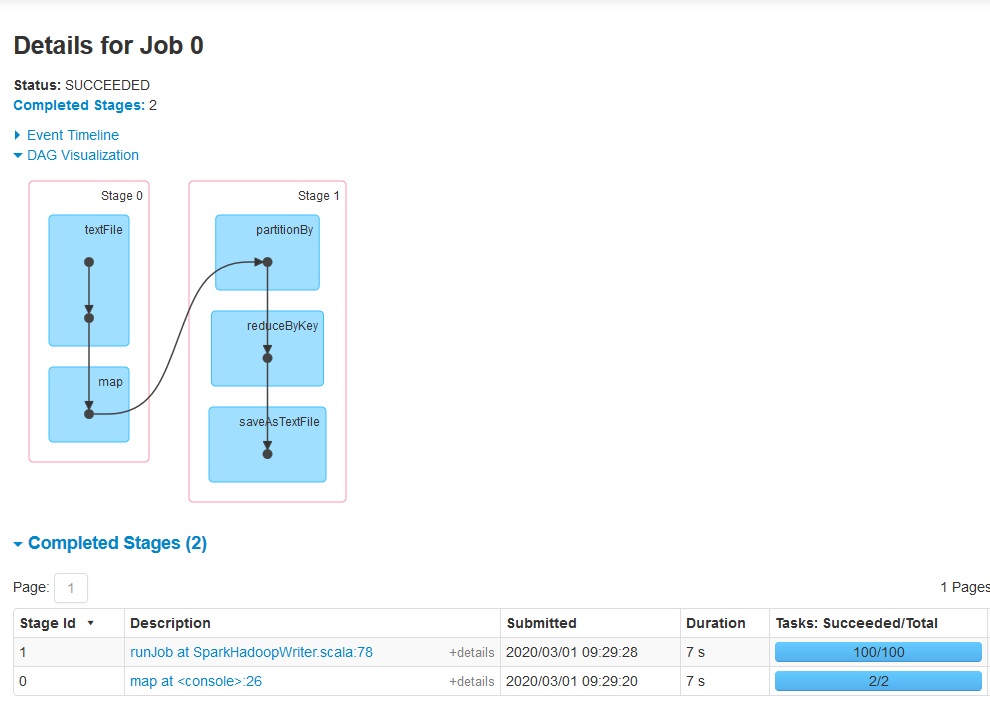
We can 100 tasks has been created.

Range Partition
-
The ranges are determined by sampling the content of the RDD passed in.
-
First, the Range Partitioner will sort the records based on the key and then it will divide the records into a number of partitions based on the given value.
-
import org.apache.spark.RangePartitioner;

val lines = sc.textFile("ml-100k/u.data");
val movies = lines.map(x => (x.split("\t")(1).toInt, 1))
val range = movies.partitionBy(new RangePartitioner(10,movies))
val movieCounts = range.reduceByKey( (x, y) => x + y ).saveAsTextFile("/home/hyper/spark//blog/images/partition/range");
Results

Spark UI Dag View we can see 10 tasks we created as per the Range Partitioner parameter.